Making Subsystems
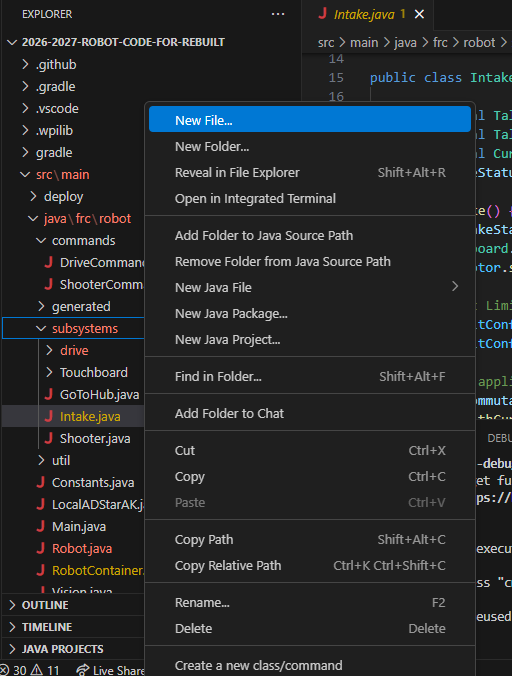
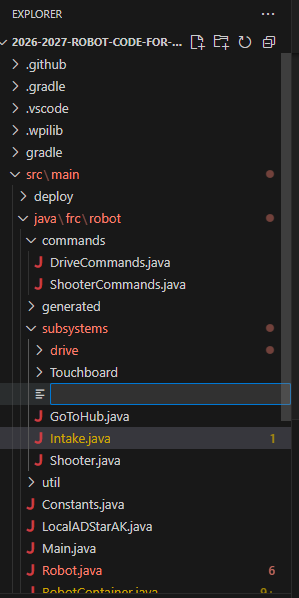
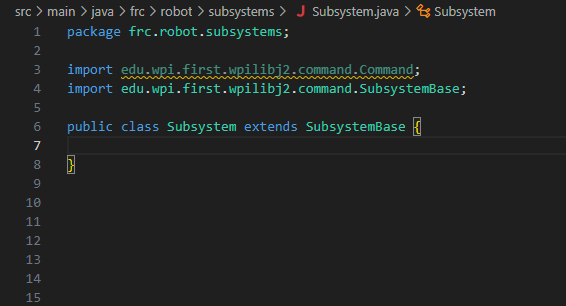
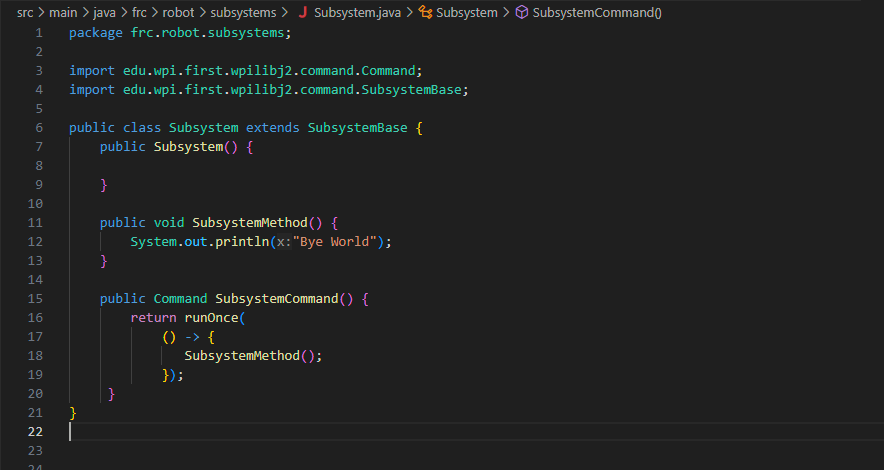
To create a subsystem, right-click on the subsystem folder, then click "New File" and give the file an appropriate name for the subsystem being made and add ".java" at the end. Once the file is made, add "package frc.robot.subsystems;", "import edu.wpi.first.wpilibj2.command.SubsystemBase;", and "public class 'name' extends SubsystemBase {}", all code must be inside the brackets.
Instantiating the Subsystem
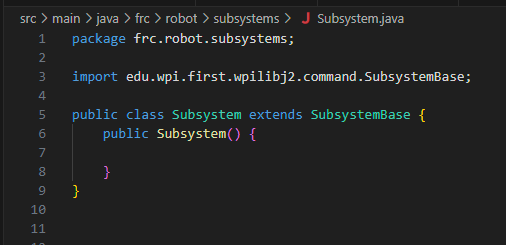
After making the subsystem and adding all of your variables you're going to want to initizalize you're subsystem. To do this, all you have to do is add public 'name'() {}. This is where everything will be called when the robot starts for this subsystem. If you have any motors you would want to stop them here.
Creating Commands
Creating commands within subsystems is fairly simple. First create a method and add the code you want to run inside the method. Next add the command outside of the method.
Running Commands in the Subsystem
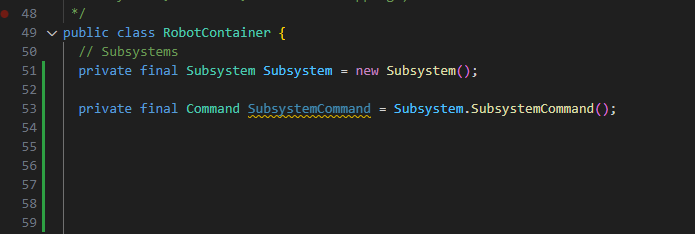
Everything here is going to be done in RobotContainer.java. To actually run the commands you made within your subsystem first you need to import your subsystem into RobotContainer.java, at the beggining of RobotContainer.java add import.frc.subsystems.'name';. After that you have to initialize your subsystem. Add private final 'name of subsystem' 'name of variable' = new 'name of initializing method'();. From there you can make the commands and call them however you want to. Add private final Command 'name of command' = 'name of subsystem'.'name of command'(); If you want to call the method with a controller button add "m_driverController."button to press"().whileTrue(m_exampleSubsystem.runMotorCommand());" under configureBindings()